Inventory Hover · free · for anyone in D365
Hold Alt. See the stock.
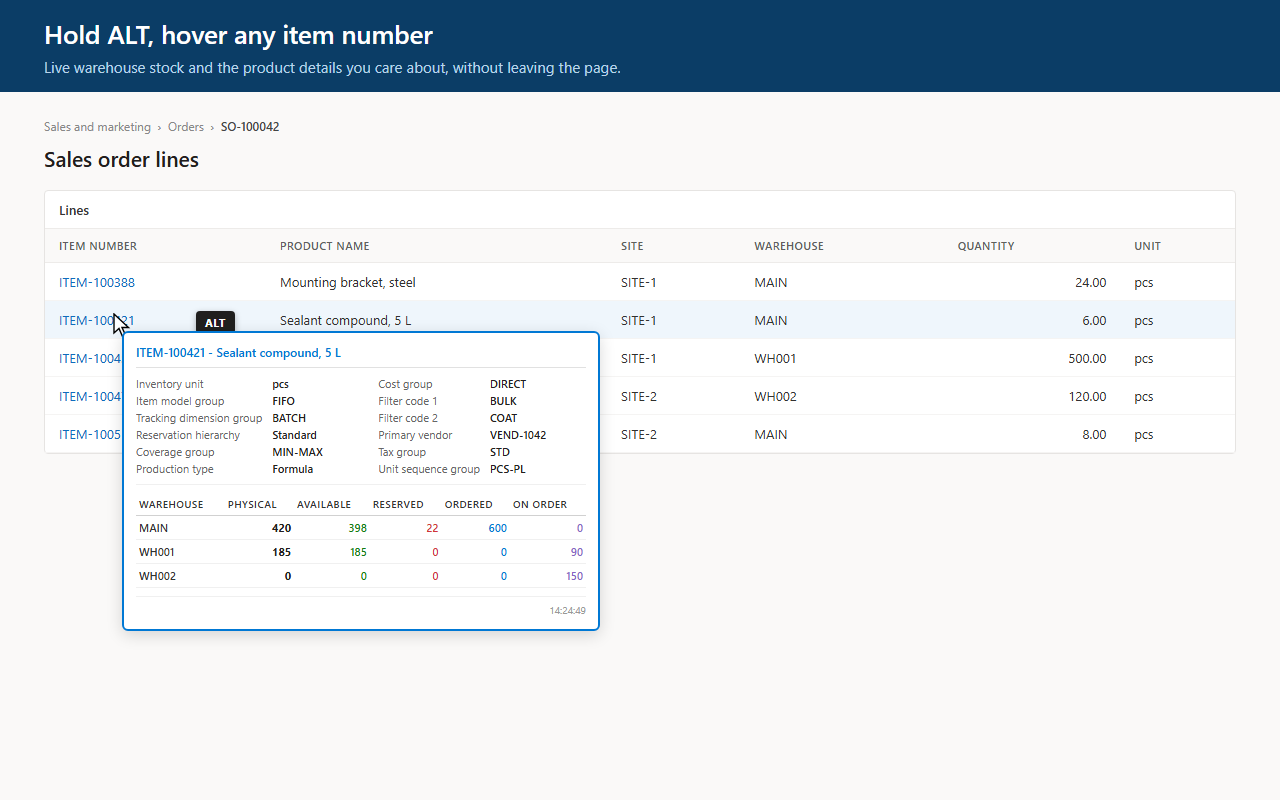
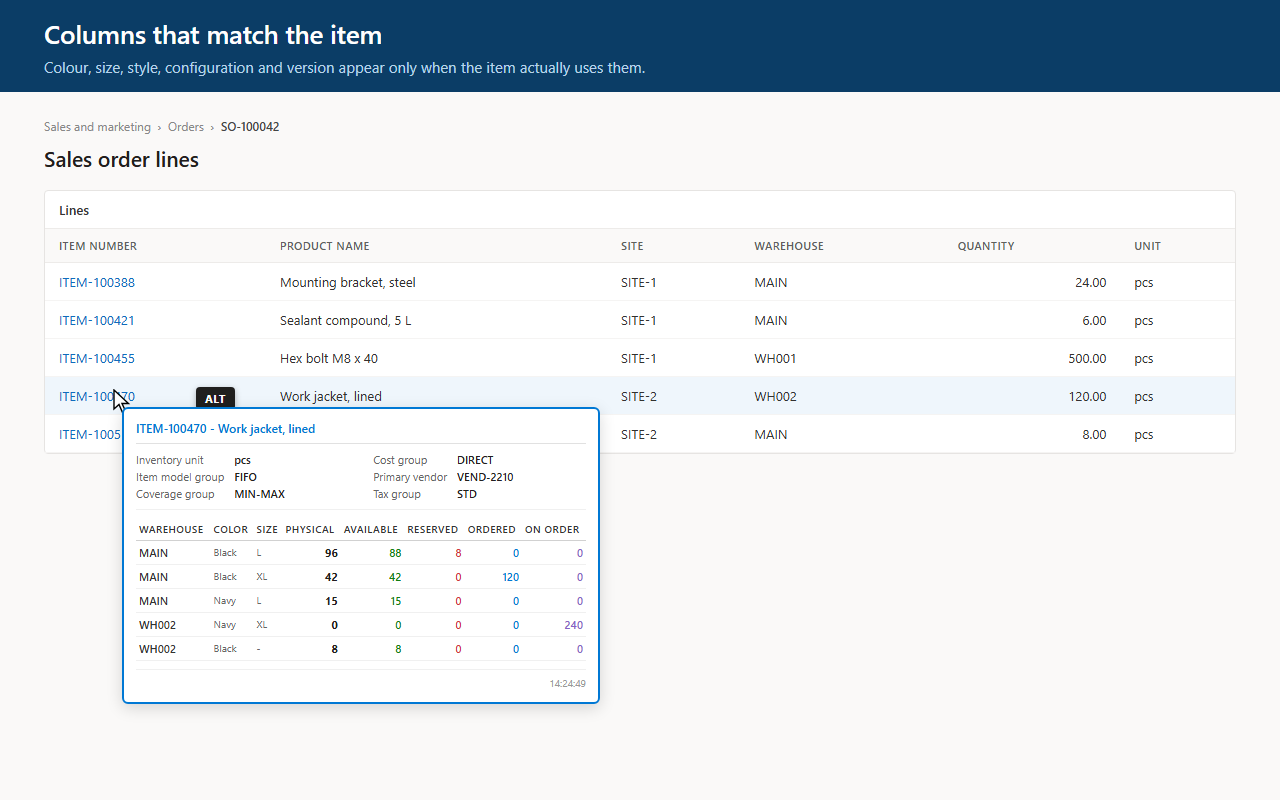
Point at any item number on any D365 page with Alt held down. A tooltip shows stock per warehouse and the product fields you pick, without leaving the order you are working on.
- Free
- Read-only
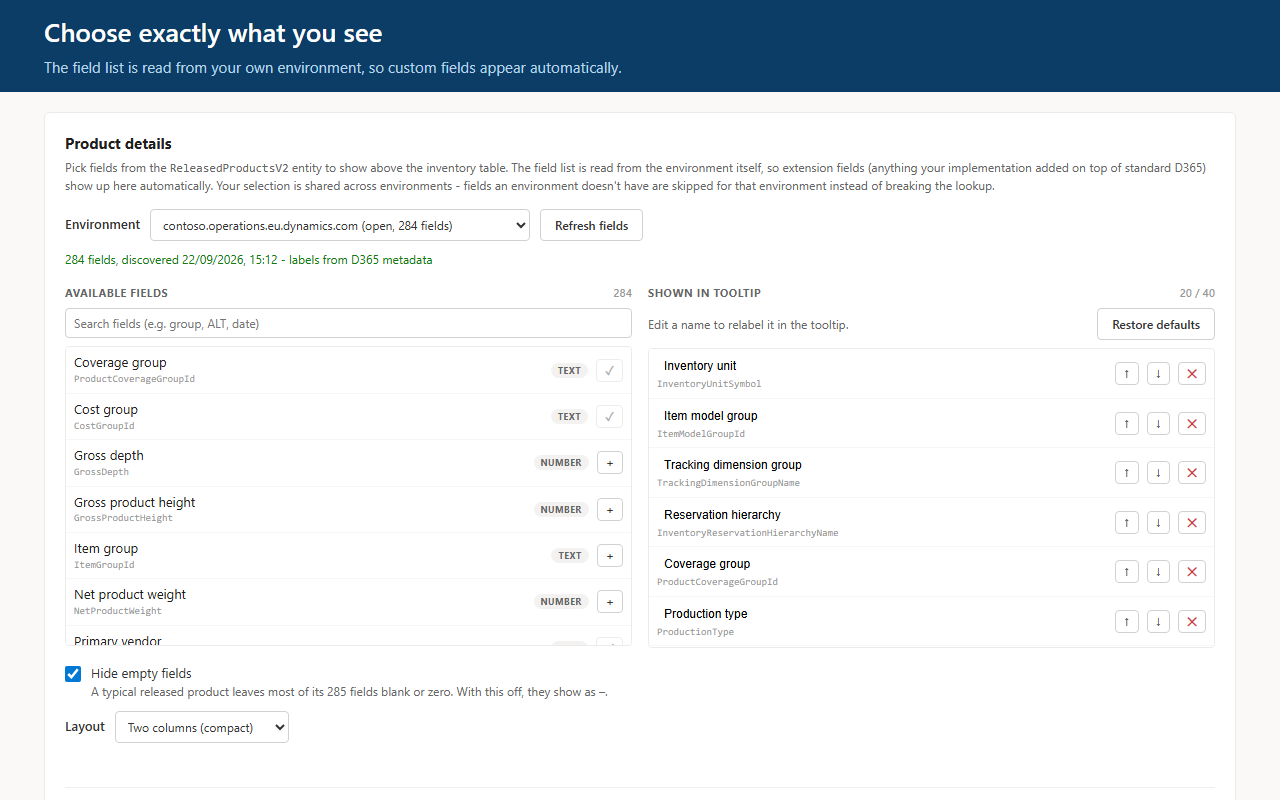
- Your own product fields
SO-100042 · Sales order linesAlt held
| Item | Product | Qty |
|---|---|---|
| ITEM-100388 | Mounting bracket, steel | 24 |
| ITEM-100421 Alt | Sealant compound, 5 L | 6 |
| ITEM-100455 | Hex bolt M8 x 40 | 500 |
ITEM-100421 · Sealant compound, 5 L
- Item model group
- FIFO
- Tracking
- BATCH
- Coverage group
- MIN-MAX
- Primary vendor
- VEND-1042
| Warehouse | Physical | Available | Reserved | On order |
|---|---|---|---|---|
| MAIN | 420 | 398 | 22 | 0 |
| WH001 | 185 | 185 | 0 | 90 |
| WH002 | 0 | 0 | 0 | 150 |
Your own product fieldsWithout leaving the order
Hold Alt over any item number on any D365 page: stock per warehouse in a tooltip.
Free. No account, no licence key, no sign-up.
Inventory Hover answers what is in stock. When you want to know why an order is stuck rather than what is in stock, that is Supply Chain X-ray.